

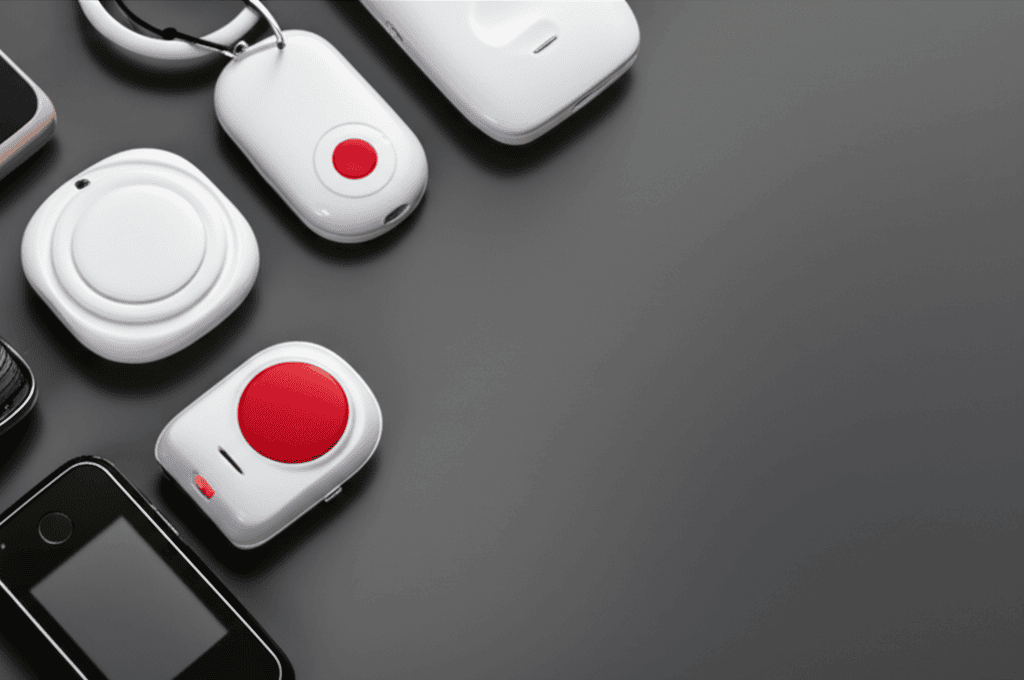
Choosing a medical alert device can feel overwhelming when someone needs fast help at home or anywhere else. This guide explains how these gadgets work and points out the important features to watch for. It clears up tricky terms, compares different models, and shares handy tips for buying or chatting with sellers. Learn how to find the right device that brings peace of mind exactly when it counts. Stick around because the next details could save time and avoid headaches.
The aim is simple. By the end you will understand common technologies, realistic price ranges, and everyday steps that make a system reliable. Real examples and simple checks will help you pick a setup that fits daily life and medical needs.
What medical alert devices are and who benefits most
Medical alert devices are personal systems designed to let a person call for help quickly. They usually include a wearable button or a device placed in the home and a connection to a response service or chosen contacts. Use cases range from older adults living alone to people recovering from surgery or anyone with a chronic condition that could cause sudden problems.
Typical users include seniors at risk of falls, people with heart conditions, and those with limited mobility. Families often choose these devices after a near miss or to reduce the need for frequent check ins while keeping the person independent.
How medical alert devices work in everyday situations
At a basic level the system connects a person in need with help. A wearable button or home unit sends a signal through a phone line, mobile network, or internet connection to a response center or to preselected contacts. Two important ways systems operate are manual alerts and automatic detection.
Manual alert systems
With a manual system the user presses a button to call for help. This button may be a pendant, wristband, or a wall mounted device. When pressed the signal reaches a monitoring center or family member who can arrange assistance. This setup works well when users respond quickly to their own needs and can press the button after a minor fall or sudden illness.
Automatic fall detection and motion sensors
Some devices include sensors that detect unusual motion patterns and trigger an alert without a button press. These are useful when a person loses consciousness and cannot call. Automatic detection is not perfect, so test the system and understand its false positive and false negative rates before relying on it completely.
Types of medical alert devices and typical features
There are several common categories to consider. Each has strengths and limitations so match the type to daily routines and living arrangements.
- In home base stations These plug into a landline or broadband and cover the house diameter with a wearable button. They are reliable where users spend most of their time at home.
- Mobile pendants and GPS enabled units These work on mobile networks and are worn outside the home. They are useful for active people who travel, walk in the neighborhood, or run errands alone.
- Smartwatch style devices These look and feel like a watch and often include step tracking, heart rate monitoring and fall detection. They are a good fit for users comfortable with everyday wearable tech.
- Phone based apps Apps turn a smartphone into a medical alert device. They are low cost but depend on the user having their phone with them and charged at all times.
Wearable designs vary in water resistance, battery life and comfort. For example a pendant with a long battery life may be better suited to someone who forgets to charge devices, while a smartwatch may be a better match for someone who prefers a modern look.
Key features to compare when choosing a device
Not all features are equally important for every person. Below are practical priorities and tips to weigh against price and contract terms.
- Connectivity options Check if the unit uses landline, mobile network, or Wi Fi. Mobile units are best for out of home coverage. Landline based systems are simple and work during power outages in many cases.
- Battery life and low battery alerts Look for units that report low power through the base station or app. For wearables a battery life of several days is practical for most users.
- Range for in home units Make sure the signal covers where the person spends time. Test locations like the garden shed or garage if those areas are used regularly.
- Two way communication A speaker in the base station or wearable lets the user talk with a responder. This is helpful for assessing the situation before sending emergency services.
- Water resistance Falls happen in bathrooms and kitchens. A waterproof pendant reduces the chance a user removes it for washing and forgets to put it back on.
- Subscription fees and contract terms Consider monthly monitoring fees and any activation costs. Some companies include a trial period which is useful to test the service.
To compare models side by side make a short checklist with these items and test the unit at home for a week. If you need local information and buying tips you can learn more here about common models and what features people value.
Cost considerations and funding options
Costs vary widely. Basic home systems may have low upfront cost and a small monthly fee. Mobile and GPS enabled systems usually cost more to cover mobile data. Smartwatch style devices sometimes carry higher initial prices but include features that remove the need for a separate wearable.
Some potential sources of help with costs include local charitable groups and social care programs. In many regions there are community services that loan equipment or provide discounted monitoring for qualifying individuals. Before signing a long contract ask for a clear statement of all fees and the options to cancel.
Installation, testing and everyday maintenance
Installation is often straightforward but follow a few simple checks to keep the system ready when needed. Place in home base stations in central rooms and avoid placing behind furniture. For mobile units make a habit of charging the device nightly if required.
- Test the button and call process once a month and after power cuts.
- Replace batteries as recommended and confirm low battery alerts work.
- Practice a simulated call so the user and family know what to expect from the responder.
- Label devices with emergency contacts and medical conditions if possible and safe to do so.
Practical example A sister set up a system for her mother who lives alone. They tested the call at midday and again in the evening to check response times. After one month they tweaked the pendant position and moved the base station closer to the living area to reduce missed signals.
Privacy, safety standards and what to ask suppliers
When choosing a system check for safety approvals and data protection practices. Devices sold in the UK often carry a CE mark or UK equivalent. Ask how data is stored and who has access to location and health information.
Questions to ask a supplier include how the monitoring team verifies identity, what happens after an alert, and how false alarms are handled. Also confirm if the system continues to operate during power outages and what backup connections are available.
Common mistakes and quick tips from users
Families often make a few recurring errors. Here are short tips to avoid them.
- Do not assume a device is working without testing it in the actual user environment.
- Train the user and any nearby neighbors or carers on how to respond to an alert.
- Avoid complex settings for users with cognitive decline. Simpler devices are used more consistently.
- Check subscription cancellation terms before signing a long commitment.
Real tip A user with hearing loss placed the base station in a bedroom so the visual and tactile alerts were easier to notice. Small changes can increase the value of a system without added cost.
Deciding on the right medical alert device comes down to matching a person’s lifestyle, medical needs and budget. Start with the environment the person spends most time in then shortlist devices that cover those areas with reliable connections. Test shortlisted models with a trial period or return policy and include family members in the trial to confirm response procedures.
With a clear plan you can choose a setup that offers timely response while fitting daily routines. If you want further details, model comparisons and a buying checklist to take to a supplier the linked resource above is a good next step. Taking action now can reduce uncertainty and help a loved one stay independent and safe more often.
Conclusion
Medical alert devices are practical tools that connect a person in need with help quickly. They cover a wide range of situations from in home falls to emergencies when out and about. This guide covered how systems work, common device types, key features to compare and simple maintenance steps. Cost varies and so do subscription terms so read contracts carefully. Testing devices in the real environment and training the user and nearby family members will improve reliability and reduce false alarms. For many families a small investment in the right device means fewer daily check ins while still keeping support available when it matters. Use the checklist ideas here when you evaluate options and choose a trial period when possible. If you are ready to take the next step contact a supplier or start a trial so you can see how a system would work in your household. Making that move will give you clearer expectations and practical experience to decide what fits best.


